YouTube Transcript Generator
By Stanislav Mashkin · Published 22 October 2026
Paste a link, and this YouTube transcript generator turns the video’s captions into text with a timestamp on every paragraph. It is a YouTube video transcript generator that runs on this page: no sign-up, nothing to install.
No link handy? Try it on a 1-hour talk →
How to generate a YouTube video transcript
Copy the link
Watch, youtu.be, Shorts, live and embed links all work.
Paste it and press Generate transcript
The text opens in the Transcript tab, next to the video.
Read, search, take it with you
Click a timestamp to jump to that moment. Search for a word, then copy the text or download it.
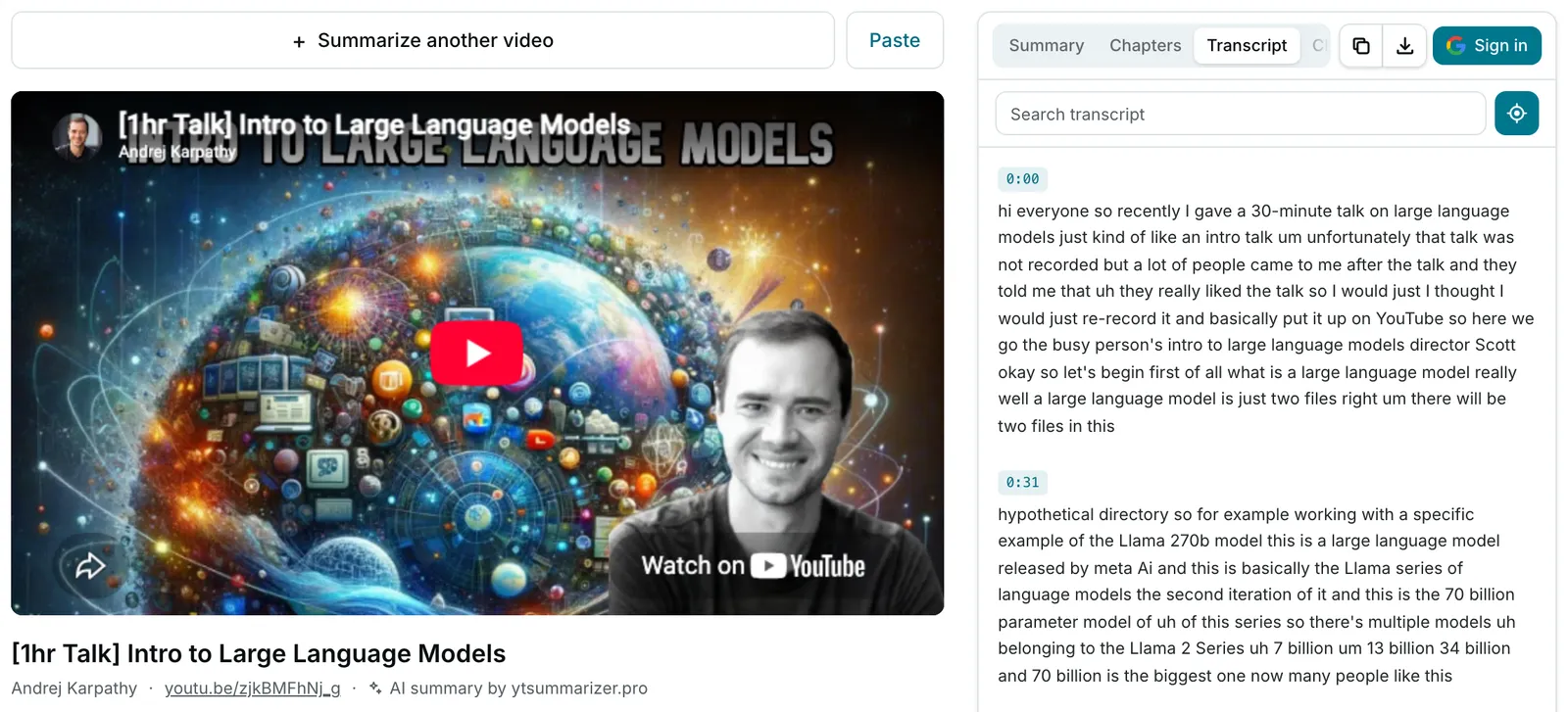
What you get
The captions come grouped into 30-second paragraphs, each marked with the moment it starts:
[0:00] First thirty seconds of what is said in the video…

[0:30] The next thirty seconds…

[1:00] …and so on to the end.

---
Source: https://youtu.be/<video id> · ytsummarizer.proCopy and Download offer the same two versions, both plain .txt:
- With timestamps — for notes that point back to the second.
- Plain text — the same paragraphs without them, for a document or an AI prompt.
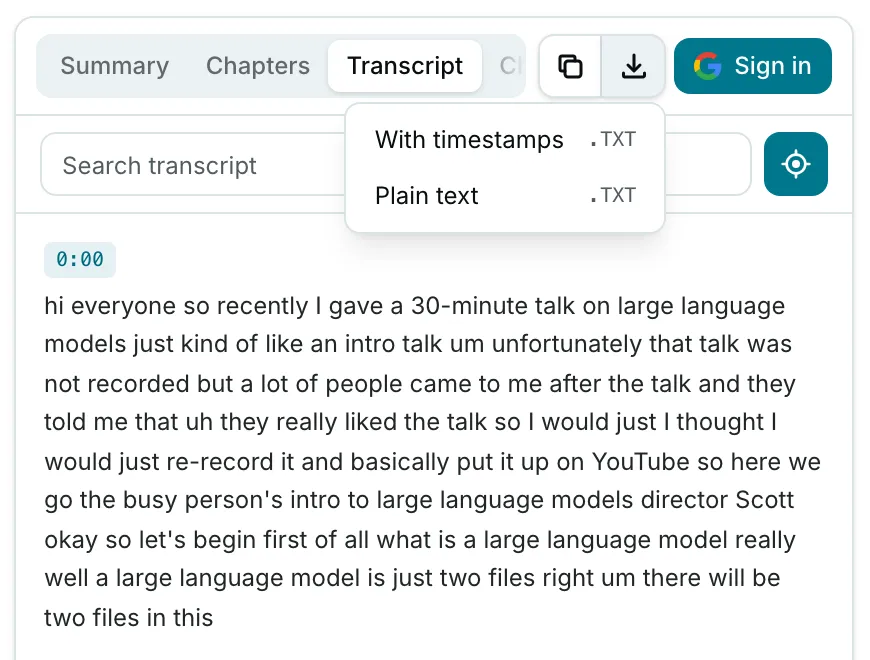
The file is named after the video, and its last line links back to it.
Where the text comes from
We don’t create a transcript from a YouTube video by listening to its audio. The generator reads the video’s own caption track, including the captions YouTube writes automatically.
So the text is as good as those captions: auto-captions can get names and jargon wrong.
Is this YouTube transcript generator free? Yes, with limits
No card, no account. What the free YouTube transcript generator won’t do:
- More than 10 transcripts a day on this site, counted per network. Pro doesn’t raise this.
- Videos without captions: we don’t run speech recognition.
- Age-restricted, private or members-only videos: YouTube won’t give their captions to our server.
- SRT, VTT or Word files, or a translated transcript.
Related
- YouTube transcript — what our transcript adds to YouTube’s own panel.
- YouTube video summarizer — an AI summary and chapters built from the same text.
- Chrome extension — the transcript beside the player, with no daily limit.